When Dell unveiled the UltraSharp U5226KW at CES 2026, the collective gasp from the professional display community was audible. A 51.5-inch curved ultrawide monitor running native 6K resolution isn't just a display—it's a statement of intent. This is Dell's declaration that the future of professional workstations isn't about multiple screens cobbled together with hardware; it's about one breathtakingly expansive canvas that redefines what a single monitor can accomplish. At $2,899.99, the U5226KW occupies a rarefied space in the display market, one that's deliberately exclusive and unapologetically ambitious.
What makes the U5226KW genuinely historic is its complete uniqueness: it remains the world's first and only 52-inch 6K curved ultrawide monitor, a distinction that immediately signals both the boldness of its conception and the specificity of its mission. This isn't hardware designed by committee for mass appeal. Instead, it's engineered precisely for creative professionals, financial analysts, video editors, and those rare power users who've spent years wrestling with multiple-monitor setups and dreaming of a unified, seamless workspace. The monitor's integrated Thunderbolt 4 hub—which doubles as a sophisticated docking station and supports KVM switching across four PCs—suggests Dell understands that buyers at this price point aren't just after pixels; they're after an ecosystem solution.
Over the following sections, we'll explore whether the U5226KW's revolutionary form factor and impressive specifications justify its premium positioning, examining everything from its stunning 129 PPI pixel density and IPS Black panel technology to its real-world performance for demanding professional workflows. This is a monitor that demands careful scrutiny—because for those it fits, it may well be transformative.
A Display That Demands Your Attention
The Dell UltraSharp 52 is unapologetically massive, and its display justifies every inch. At 51.5 inches with a 21:9 ultrawide aspect ratio and gentle 4200R curve, this is a monitor engineered to fill your visual field—and there's genuinely nothing else like it on the market. Dell owns this category entirely; no competitor ships a 52-inch ultrawide at any specification level. But raw size alone doesn't make a display remarkable. What does is the combination of resolution, color science, and thoughtful engineering that Dell has packed into this frame.
51.5 Inches of Curved 6K Clarity — What 129 PPI Actually Looks Like in Practice
The U5226KW delivers 6144 x 2560 resolution across its vast canvas, translating to 129 pixels per inch. This matters more than the raw spec suggests. To put it in perspective, 129 PPI is sharp enough that sitting at a typical working distance feels comparable to looking at a 27-inch 4K display up close—text renders crisp, edges are clean, and subpixel rendering is virtually invisible to the naked eye. Office documents, code editors, and spreadsheets achieve a clarity that makes smaller displays feel comparatively soft.
The 21:9 aspect ratio and 4200R curvature work in concert here. The gentle curve isn't aggressive—it won't make you feel like you're sitting inside a fishbowl—but it does ensure that the edges maintain reasonable viewing angles and visual coherence. It's the kind of curve that exists to solve a real problem rather than chase aesthetics.
This resolution and screen real estate combination excels for productivity workflows: designers get genuine estate for timeline work, traders can stack multiple data feeds, and developers can finally view two full-width code windows side by side without compromise. However, the tradeoff is clear—you'll need a modern GPU and sufficient bandwidth to push meaningful frame rates at this resolution, and native content at 6K remains vanishingly rare outside of specialized professional software.
IPS Black Panel Performance — Colour Accuracy, Contrast, and Real-World Brightness
Dell specified an IPS Black panel here, and the contrast ratio bears this out: 2,000:1 native contrast measured, versus the typical 800–1,000:1 you'd find on standard IPS monitors. That's a tangible difference in perceived black depth, though it's worth contextualizing: this is still not VA-territory performance, and in dim rooms, blacks will read as dark gray rather than true black. There's no local dimming to deepen shadows selectively, which is a notable omission at this price point.
Color accuracy is where this display genuinely shines. Pre-calibration, Dell achieves an average Delta E of 0.73—well under the 1.0 threshold where differences become imperceptible to the human eye. Post-calibration, that tightens to 0.27. The monitor covers 100% of sRGB and 99% of DCI-P3, with 10-bit color depth delivering 1.07 billion available colors. Per RTINGS' testing, color accuracy scores 9.5/10 pre-calibration, and the SDR picture quality rates 7.6/10—strong marks for a productivity-first display.
The critical caveat: there's no HDR support. At this price point, this is a legitimate oversight. HDR capability would elevate creative workflows for video and graphics professionals, yet Dell chose to omit it entirely. RTINGS scores HDR performance at just 2.8/10, reflecting that this simply isn't an option here. Brightness measures around 198 cd/m² SDR in independent tests, shy of the 400 cd/m² rating, and adequate for office environments but not punchy enough to overcome bright ambient light.
120Hz Refresh Rate and VRR — Smooth Scrolling for Productivity and Beyond
The 120Hz refresh rate paired with a 5ms response time delivers perceptibly smoother scrolling through web pages and documents compared to standard 60Hz panels. Input lag sits at 5.0ms at 120Hz, which is acceptable for productivity tasks, though competitive esports it is not.
VRR support arrives via HDMI 2.1, eliminating tearing if your source GPU supports it—useful if you're occasionally gaming on this canvas, though the resolution/refresh combination demands high-end hardware to maintain frame rates.
The anti-glare low reflectance coating is restrained; reflections are minimized without the grainy texture that plagues cheaper coatings. Paired with TÜV Rheinland 5-Star Eye Comfort certification, flicker-free operation, and hardware low blue light, this is a display engineered explicitly for long work sessions. An ambient light sensor further refines the experience by auto-adjusting brightness to your environment.
The Ultimate Desk Hub — Connectivity That Replaces Your Docking Station
The Dell UltraSharp 52 Thunderbolt Hub Monitor doesn't just display content—it orchestrates your entire workspace. With a comprehensive array of ports, intelligent switching capabilities, and thoughtful power delivery, this monitor serves as a unified hub that eliminates the need for separate docking stations and KVM switches. Whether you're juggling multiple machines, demanding peripherals, or power-hungry laptops, the U5226KW consolidates connectivity in ways that transform your desk setup.
Thunderbolt 4, USB-C, HDMI 2.1, and DisplayPort — A Full Port Breakdown
The U5226KW's port ecosystem is genuinely impressive, designed to accommodate virtually any modern device and workflow. At the heart sits a single Thunderbolt 4 upstream port delivering 40Gbps bandwidth, full 140W Extended Power Range (EPR) charging, and DisplayPort Alt Mode 1.4 support. This single cable connection can power and fully utilize the monitor while charging compatible laptops simultaneously.
For video flexibility, the monitor includes 2x HDMI 2.1 ports with HDCP 2.2 protection and full support for 6K resolution at 120Hz with variable refresh rate (VRR), alongside 2x DisplayPort 1.4 ports, also with HDCP 2.2 compliance. This multi-input video architecture allows seamless integration with diverse source devices without constant cable shuffling.
The downstream connectivity is equally robust: 2x USB-C ports (10Gbps each, 27W Power Delivery) join 4x standard USB-A ports (10Gbps) plus one USB-A port with Battery Charging 1.2 support. For additional PC connections, the monitor includes 3x USB-C upstream ports (10Gbps), enabling you to connect up to four machines simultaneously to the KVM system.
Acknowledging that not everyone wants to reach behind their monitor, Dell integrated a drop-down front hub featuring 2x USB-C and 1x USB-A with quick, friction-free access to frequently used ports. This thoughtful addition keeps your most-used peripherals within arm's reach while maintaining the monitor's clean, integrated aesthetic.
Network connectivity comes via 1x 2.5GbE Ethernet port, which can be shared across all connected machines through Ethernet Switch Mode—eliminating the need for multiple network connections or a dedicated network switch. For complete specifications, visit Dell's official product page.
Built-In KVM Switch and Multi-PC Support — Running Up to Four Machines From One Monitor
The integrated KVM (Keyboard-Video-Mouse) switching is where the U5226KW truly replaces a separate KVM device. A single keyboard and mouse pair—connected to the monitor—can control up to four different PCs simultaneously, with all peripherals automatically following whichever machine is driving the active display. No manual cable swapping. No lost time searching for the right device input.
Dell's software suite amplifies this capability. Dell Display Manager (DDM) and Dell Display & Peripheral Manager (DDPM) provide software-based switching with hotkey support, offering 23 customizable layout options and 7 window zone configurations. This software layer accommodates those who prefer custom switching logic or need layout options beyond the hardware KVM's capabilities.
For users demanding simultaneous multi-PC content, the monitor's Picture-by-Picture (PbP) mode displays up to 4 inputs at once, while Picture-in-Picture (PiP) enables up to 2 partitions. This transforms the 52-inch canvas into a true multi-machine command center where you can monitor and interact with multiple systems without switching views.
Additionally, USB-C Prioritization Mode toggles between High Resolution or High Data Speed, letting you optimize the connection for either bandwidth-intensive tasks (data transfer, large file operations) or premium display performance, depending on your immediate workflow needs.
140W Power Delivery, 2.5GbE Ethernet, and the Drop-Down Front Hub
The 140W EPR power delivery via Thunderbolt 4 makes this monitor exceptionally practical for power users. It charges high-performance laptops—MacBook Pro, ThinkPad, Dell XPS, and others—at full speed through a single cable. Your desk requires one outlet, one cable, and one monitor instead of a cable tangle of chargers and docking stations.
Dell Power Button Sync further streamlines workflow by enabling the monitor's power button to wake or sleep compatible Dell laptops, creating genuinely integrated control. The 2.5GbE Ethernet with Ethernet Switch Mode ensures that connected machines share network resources without additional hardware.
Collectively, these features position the U5226KW as a true all-in-one solution that replaces your docking station, KVM switch, and network hub—consolidating what once required three separate devices into a single, elegant 52-inch display. As The Register aptly described it: a monitor that's like "four screens in one."
Who Should Buy the Dell U5226KW — and Who Should Look Elsewhere?
At nearly $3,000, the Dell UltraSharp 52 is a significant investment. It's not a monitor for everyone—but for the right person, it's genuinely transformative. Let's be clear about who that is.
The Perfect Match — Creative Professionals, Analysts, and Power Users
If you spend eight hours a day staring at spreadsheets, code, or photo timelines, the U5226KW is built for you. Financial analysts and traders benefit most: the ultrawide canvas effectively replaces a three-monitor array without bezels, desk clutter, or KVM switching. Watch market data flow across one seamless panel while keeping reference windows, charts, and communication tools always visible.
Photographers and video editors will appreciate the accurate 99% DCI-P3 wide-gamut color, which matters when you're color-grading for cinema or print. The resolution gives you real desktop estate—not a gimmick, but practical workspace where you can see a full timeline and inspector panels simultaneously without constant scrolling.
Developers and power users who currently run three monitors or a docking station combined with a separate hub will find the one-cable convenience remarkable. Plug in your MacBook Pro M3 or Dell XPS with a single Thunderbolt 4 connection, and you get display, 140W power delivery, USB hub, and KVM switching built-in. That's worth the premium alone if you regularly switch between machines. Your desk becomes cleaner. Your cable management becomes saner.
The monitor also shines for multi-window workflows: financial dashboards side-by-side with chat and email, design mockups with asset libraries, or terminal windows combined with code editor and browser all visible without alt-tabbing. This is what ultrawide monitors do best, and at 52 inches, the U5226KW does it without compromise.
The Compromises You Need to Know — Motion Blur, No HDR, and Limited Ergonomics
Here's where honesty matters: the U5226KW has real limitations, and at this price, some are hard to ignore.
No HDR is the biggest gap. For a $2,900 monitor, the absence of HDR support is surprising—even disappointing. If your workflow includes HDR-aware video review, cinema-grade color grading, or you're evaluating HDR content, you're leaving money on the table. Competitors in this space (like the Dell U4025QW) offer HDR; the U5226KW does not. This is a dealbreaker for some creative workflows.
Motion and gaming performance are weak. RTINGS measured response time at 3.8/10, and there's no backlight strobing. If you care about fast-paced gaming or smooth cursor motion in games, look elsewhere. This monitor is sedentary-work focused, and it owns that role—but don't expect it to replace a gaming display.
Brightness falls short of marketing claims. Dell rates it at 400 nits, but real-world measurements hover around 198 cd/m² in SDR. That's fine in a dimly lit office, but if your workspace has strong ambient light or large windows, you may struggle with reflections and glare despite the anti-glare coating.
Ergonomics are limited. You get height and tilt adjustment, but no swivel or pivot. For a 52-inch ultrawide, that's restrictive—some users find the fixed orientation frustrating. You'll also need a very sturdy, deep desk: the footprint is 1,223mm (48 inches) wide.
Windows DPI scaling quirks at 129 PPI can cause layout issues in some older software, though most modern applications handle it fine. And driving 6K at 120Hz requires a capable GPU—not a deal-killer for most workflows, but worth verifying before purchase.
How It Compares to the Competition at This Price Point
The U5226KW doesn't exist in a vacuum. Here's how it stacks up:
The Dell U4025QW (40-inch, 5K2K, IPS Black, Thunderbolt 4, KVM) is the closest family member. It's smaller but includes HDR and is easier to drive with less powerful GPUs. It's the smarter buy if HDR matters to your workflow and you can live with a 40-inch canvas.
The LG 40WP95C (~$1,500) delivers 40-inch 5K2K via Thunderbolt 4 at roughly half the U5226KW's price. The major penalty: only 72Hz and no dedicated KVM switching. A solid middle-ground option for solo-PC creatives on a budget.
The Samsung ViewFinity S9 S95UC (49-inch, ~$1,300–$1,500) offers an expansive 32:9 canvas with superior contrast (VA panel), HDR 400 support, and a lower price. However, its lower resolution means less vertical workspace, and there's no Thunderbolt 4 or full KVM support.
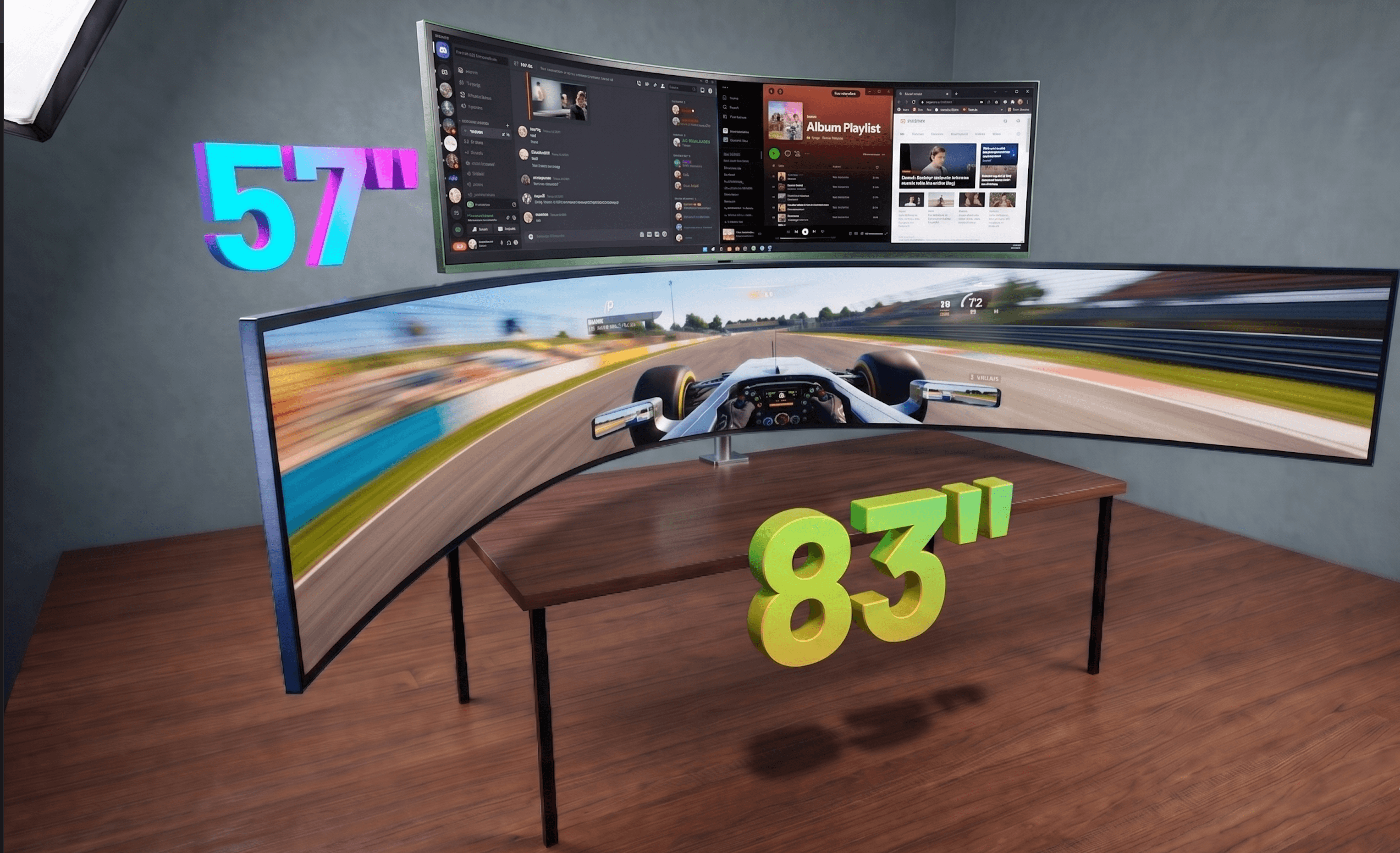
The Samsung Odyssey Neo G9 57-inch (~$1,500–$2,000) beats the U5226KW decisively for gaming—240Hz, HDR 1000, and a larger panel—but it lacks Thunderbolt 4 and KVM, making it poorly suited for productivity-focused multi-PC workflows.
The verdict is simple: if maximum screen real estate, color accuracy, multi-PC KVM control, and Thunderbolt 4 hub functionality are your priorities, there is no alternative. The U5226KW is the only option. Everything else is a compromise in screen size, connectivity, or both.
Conclusion — A Niche Titan That Earns Its Price Tag for the Right User
At $2,899.99, the Dell UltraSharp 52 is unquestionably expensive. But it's also the world's only 52-inch 6K curved ultrawide monitor, and that monopoly matters—especially if you're the type of professional who actually needs that screen real estate.
The monitor's strengths are genuinely compelling: exceptional color accuracy (Delta E 0.27 post-calibration, 100% sRGB coverage), the integrated Thunderbolt 4 hub with 140W power delivery, and the built-in KVM switch that lets you seamlessly control four PCs from one desk. That's not just a display—it's an entire workspace consolidation tool. For financial analysts tracking multiple data streams, creative professionals juggling color-critical work, and developers managing complex multi-monitor workflows, this replaces a docking station, KVM switch, and dual-monitor rig. The math becomes significantly less painful when you factor in that replacement value.
The weaknesses, however, are real. There's no HDR support—a glaring omission at this price. Brightness falls short in brightly lit rooms. And the 7.7/10 RTINGS productivity score, while solid, reveals this isn't a revolutionary productivity leap—it's an incremental one with a premium price tag.
This monitor is emphatically not for gamers, content creators who need HDR, or anyone working in bright environments. It's not even for typical office workers. But for that narrow, high-powered segment of professionals whose work genuinely spans massive, color-accurate workspaces and require multi-PC connectivity without desk clutter? It's an 8.5/10 proposition.
The Dell UltraSharp 52 doesn't try to be everything to everyone. It's relentlessly, unapologetically specialized—and that's exactly why it works.